The 2027 Strategic Shift
TL;DR: The Core 2027 Takeaways
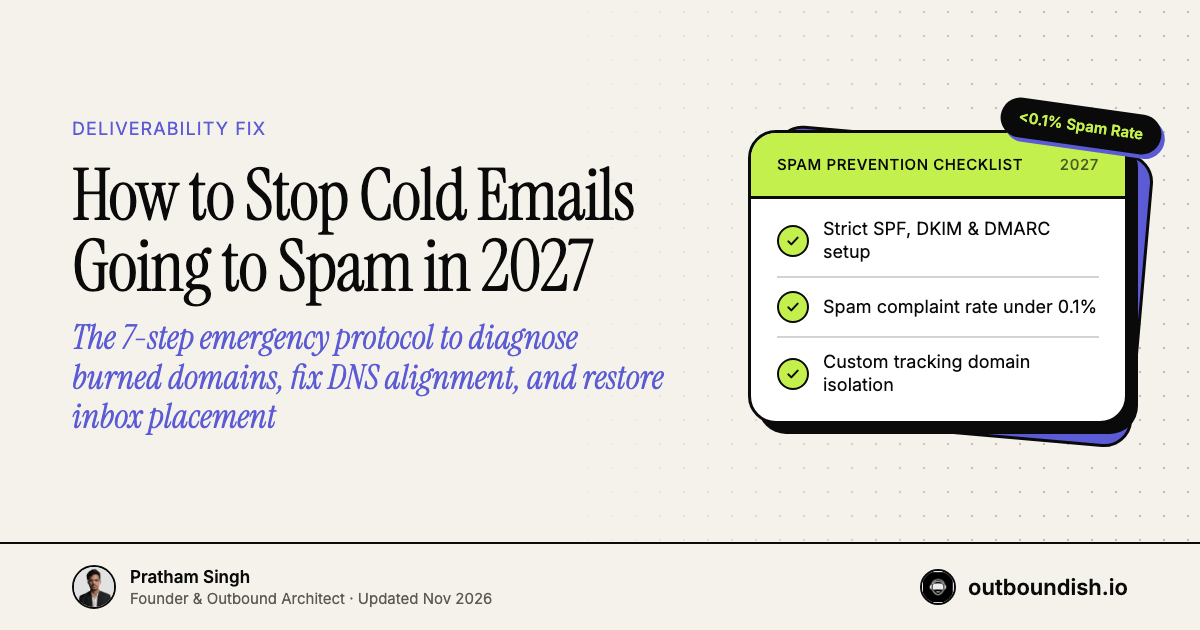
- The Spam Rate Threshold: Google and Yahoo enforce an absolute ceiling of 0.3% spam complaint rate (ideally sub-0.1%). Crossing this threshold sends all subsequent domain emails to junk.
- DMARC Alignment is Mandatory: Unaligned SPF and DKIM records or missing DMARC policies result in immediate filtering by enterprise Outlook and Google Workspace inboxes.
- The Burned Domain Reality: Once a domain's IP reputation is scorched by excessive spam reports, attempting to 're-warm' it takes months. The professional solution is provisioning new secondary domains.
The Emergency Deliverability Audit
There is nothing more discouraging in B2B sales than watching your cold email response rates fall off a cliff. If your open rates have plummeted from 55% down to under 20%, you are not suffering from a "copywriting issue"—your emails are landing directly in the spam folder.
In 2027, automated spam filters deployed by Google Workspace and Microsoft 365 evaluate inbound messages using behavioral analysis, cryptographic domain authentication, and aggregate spam complaint thresholds. Below is the exact step-by-step diagnostic and remediation protocol to restore inbox placement.
The 7-Step Protocol to Escape the Spam Folder
- Verify Cryptographic DNS Records: Ensure your domain has exactly one SPF record, a valid 2048-bit DKIM key, and a DMARC policy (
v=DMARC1; p=reject; rua=mailto:...). Multiple SPF records or missing DKIM keys cause instant authentication failure. - Set Up an Isolated Custom Tracking Domain: Sequencers like Smartlead and Instantly track opens and clicks via CNAME records. If you use the sequencer's shared tracking domain, your deliverability is exposed to bad actors. Create a custom CNAME (e.g.,
track.yourdomain.com) with SSL enabled. - Eliminate Tracking Pixels and Hyperlinks: Open tracking pixels insert a hidden 1x1 image into your email body. In cold emails to enterprise recipients, open tracking pixels trigger security scans. Turn off open tracking and remove all external links in your first email.
- Clean Your Prospect List with Waterfall Verification: High bounce rates are the fastest way to burn a domain. If your bounce rate exceeds 2%, your domain reputation is downgraded. Run all data through MillionVerifier, NeverBounce, or Clay waterfall verification before sending.
- Cut Daily Sending Volume in Half: If you are sending 50 emails per day per inbox, immediately reduce volume to 20–25 sends per day, allowing 10–15 minutes between each message.
- Scrub Trigger Words and Fluff: Scan your copy for aggressive sales words ("guaranteed," "free trial," "act now," "exclusive offer," "$$$"). Keep copy clean, plain-text, and conversational.
- Check Spam Blacklists: Inspect your sending IPs on MXToolbox. If your domain appears on Spamhaus Zen or Barracuda, immediately pause live campaigns.
Authentication Checklist for 2027
| DNS Record | Type | Recommended Value | Purpose |
|---|---|---|---|
| SPF | TXT | v=spf1 include:_spf.google.com ~all |
Authorizes sending mail servers |
| DKIM | TXT | Generated 2048-bit cryptographic key | Verifies email tamper-resistance |
| DMARC | TXT | v=DMARC1; p=reject; rua=mailto:dmarc@domain.com |
Specifies enforcement policy |
| Tracking | CNAME | track.domain.com → prox.smartlead.ai |
Isolates engagement telemetry |
When to Repair vs. When to Abandon a Domain
If your primary corporate domain has landed in spam, stop all cold outreach immediately. Never use your main website URL for prospecting. For secondary domains, if domain reputation has dropped to "Bad" in Google Postmaster Tools and remains blacklisted after 14 days, the economic choice is clear: retire the domain, purchase a fresh lookalike URL for $12, and provision new inboxes.
Never worry about domain blacklists or spam filters again. Discover how our specialized B2B lead generation agency and dedicated cold email agency manage bulletproof outbound infrastructure under our transparent pricing model ($1,100–$2,300 pilot, $1,300–$3,700/mo retainer), delivering 8–12 standard to 20–21 enterprise qualified meetings every month.
DNS Specification: Review email authentication standards and anti-spoofing policies via DMARC.org Technical Overview & Specifications.
People Also Ask
A sudden drop in open rates indicates that your sending domain was flagged by Google or Microsoft filters and routed directly into the spam folder or quarantine.
Run your domain through tools like MXToolbox or Google Postmaster Tools to check for listings on major DNS blacklists such as Spamhaus, Barracuda, or SORBS.
While technically possible after 60 to 90 days of pausing live sends and running slow warmup, the opportunity cost is high. It is far faster and safer to deploy clean secondary domains.
Outboundish deploys secondary domain fleets with strict SPF/DKIM/DMARC alignment, keeping bounce rates sub-1% and booking 8–12 standard to 20–21 enterprise qualified meetings monthly under our $1,300–$3,700/mo retainer.