Connecting LinkedIn to Salesforce is easy. Keeping the CRM honest is not. Most linkedin lead gen salesforce “integrations” dump form fills or Sales Nav exports into a Lead object with missing firmographics, duplicate Contacts, and zero owner SLA. Marketing celebrates volume. AEs ignore the queue. Pipeline stays empty.
Outboundish cares about held meetings, not Lead object inflation. If you run LinkedIn outbound or Lead Gen Forms into Salesforce, design the object model and routing first—tools second. Retainers that include CRM-aware outbound ops often sit $1k–$2k/mo; healthy economics still cluster near $100–$150 per held meeting.
Lead Gen Forms vs Sales Nav outbound
| Source | What lands in SF | Common failure |
|---|---|---|
| LinkedIn Lead Gen Forms | Campaign Lead / sync object | No ICP filter; tire-kickers |
| Sales Nav + manual/CSV | Lead or Contact | Dupes, bad titles, stale emails |
| Sequencer sync | Task + Lead | Activity without opportunity path |
| Native Campaigns sync | Campaign Member | Membership without next step |
A linkedin lead gen salesforce motion without ownership rules is just a prettier spreadsheet. Fix ownership before you celebrate sync success.
Object rules that stop chaos
Decide before the first sync:
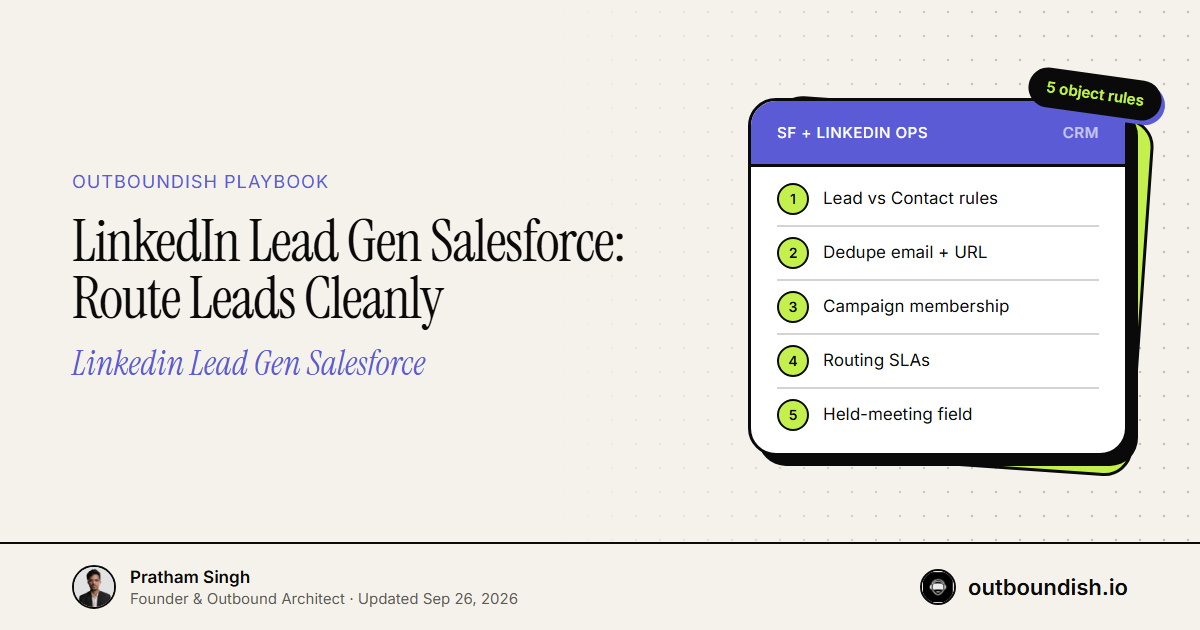
- Lead vs Contact — Known accounts become Contacts under the Account. Unknown ICP-fit names can enter as Leads with a conversion SLA.
- Deduping — Match on work email + LinkedIn URL. Do not create a second Lead because the form used a personal email once.
- Campaign membership — Every LinkedIn-sourced record joins a Campaign with a clear UTM/source value.
- Status vocabulary — Open / Working / Qualified / Disqualified / Converted. Ban “Nurture forever” as a dumping ground.
- Held-meeting field — Booked time ≠ held. Add a field AEs must flip when the call happens.
For plumbing options (native sync, Zapier, middleware), see Connect LinkedIn Lead Gen to HubSpot/Salesforce. System design for the channel: LinkedIn B2B Lead Generation System.
Document the conversion criteria: title band, employee range, and disqualify reasons. Without that, SDRs convert junk to keep dashboards green.
Routing SLA or it never gets worked
| Trigger | Owner | SLA |
|---|---|---|
| Hot form / “book a demo” | AE or round-robin pod | < 30 min business hours |
| Soft content download | SDR / BDR | Same day qualify or DQ |
| Outbound positive reply | Named owner | < 30 min; sequence stops |
| No-show | Same owner | Reminder + rebook within 24h |
Without these timers, linkedin lead gen salesforce dashboards look full while calendars stay empty. Round-robin without capacity checks just spreads neglect evenly.
Fields worth creating
Minimum useful custom fields for LinkedIn-sourced pipeline:
- LinkedIn profile URL
- ICP score (simple 1–5)
- Trigger / reason for outreach
- Source campaign + creative
- Positive reply timestamp
- Held meeting date
- Disqualify reason (required on DQ)
Attribution that finance trusts: Outbound Attribution: Meetings to Revenue. If sourced vs influenced is fuzzy, pick a rule and stick to it for a quarter before debating philosophy.
What not to automate
Do not auto-convert every Lead Gen Form into an Opportunity. Do not auto-email five nurture steps from Salesforce without stop-on-reply. Do not let enrichment overwrite AE notes. Automation should enqueue work—not invent pipeline.
Do not sync every Sales Nav save into Salesforce either. Curate the list first; CRM is not a parking lot for tire-kickers you might message someday.
Weekly hygiene for Salesforce + LinkedIn
- Kill duplicates older than 48 hours
- DQ records missing company + title after one attempt
- Report held meetings and opportunity creation by Campaign
- Pause creatives that produce high volume / zero held
- Spot-check five random Leads for ICP fit with a human eye
A clean linkedin lead gen salesforce loop is boring on purpose: fewer junk Leads, faster human touches, clearer sourced pipeline. Boring is how you protect AE calendars and board trust.
Bottom line
Treat linkedin lead gen salesforce as an operating system—objects, routing, SLAs, held definitions—not a Zap that creates records. Protect AE calendars. Measure conversations that happen. Volume without ownership is just CRM debt with a LinkedIn logo.
People Also Ask
Unknown ICP-fit people can enter as Leads with a conversion SLA. Known accounts should become Contacts under the Account to avoid duplicate chaos.
LinkedIn URL, ICP score, campaign/source, trigger, positive-reply time, held-meeting date, and a required disqualify reason. Opens and connection counts are optional vanity.
Under 30 minutes in business hours for demo-intent or hot positives. Soft content downloads can wait same-day qualification—but not multi-day neglect.
ICP filters before sync, strict status vocabulary, mandatory DQ reasons, dedupe on email + LinkedIn URL, and reporting on held meetings—not Lead counts.