Buying a fresh .com domain, creating an email account, and immediately sending 100 cold emails is the fastest way to get your domain permanently blacklisted by Google Workspace and Microsoft 365.
Domain warmup is the non-negotiable prerequisite for cold outreach. When spam filters see a brand-new domain with zero sending history suddenly blasting corporate inboxes, they flag it as malicious. Senders must implement internet authentication standards such as RFC 7208 Sender Policy Framework.
The 4 Technical DNS Prerequisites
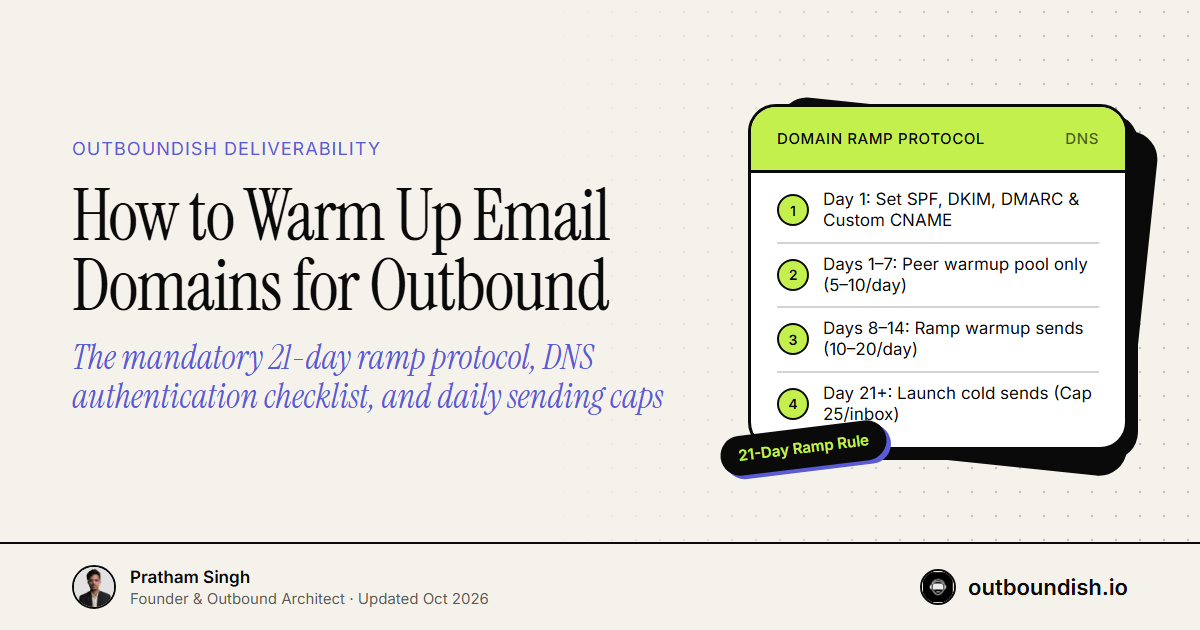
Before launching warmup tools, configure four mandatory DNS authentication records at your domain registrar (Cloudflare, Namecheap, or Google Domains):
DNS Records Checklist:
├── SPF:   v=spf1 include:_spf.google.com ~all
├── DKIM:  2048-bit domain key generated in Google Workspace Admin
├── DMARC: v=DMARC1; p=quarantine; rua=mailto:dmarc@yourdomain.com
└── Custom Tracking Domain: Points CNAME to sequencer (SSL enabled)
The 21-Day Gradual Ramp Schedule
Follow this strict schedule across your secondary mailbox portfolio:
| Timeline | Warmup Volume / Day | Cold Outreach Volume | Daily Inbox Cap |
|---|---|---|---|
| Days 1–7 | 5 → 10 emails/day | 0 (Strictly zero cold sends) | 10 total |
| Days 8–14 | 10 → 20 emails/day | 0 (Check spam placement daily) | 20 total |
| Days 15–21 | 20 → 25 emails/day | 5 → 10 cold emails/day | 35 total |
| Day 22+ (Live) | 15 emails/day (continuous) | 20 → 25 cold emails/day | 40 total cap |
The Golden Rule: Scale by Mailbox Count, Not Volume
If your outbound targets require sending 6,000 cold emails per month, do not push 200 emails a day through a single account.
Scale horizontally: - Math: 6,000 emails / 20 business days = 300 sends per day. - Mailbox Architecture: 300 sends / 25 emails per mailbox = 12 mailboxes. - Domain Distribution: 12 mailboxes distributed across 4 secondary domains (3 mailboxes per domain).
If one mailbox encounters deliverability friction, your other 11 mailboxes continue booking sales meetings uninterrupted. Your primary business domain remains completely untouched and pristine.
People Also Ask
How to warm up email for outbound sales requires configuring technical DNS records (SPF, DKIM, DMARC), connecting mailboxes to an automated peer-to-peer warmup pool (like Smartlead), and gradually increasing daily sending volumes over 14 to 21 days from 5 emails per day up to a conservative cap of 25 to 30 emails daily.
A new domain requires a minimum of 14 to 21 days of continuous warmup before sending cold outreach. Rushing this timeline or blasting hundreds of emails from a week-old domain alerts automated spam filters at Google and Microsoft, causing permanent reputation penalties.
No. Always leave automated warmup running in the background while live campaigns operate. Warmup interactions generate positive engagement signals (opens, thread replies, marking as non-spam) that counterbalance real cold outreach and protect overall inbox placement.
The maximum safe volume is 25 to 30 cold emails per mailbox per day, accompanied by 15 to 20 warmup exchanges. If your growth model requires sending 300 emails per day, provision 10 separate mailboxes across 3 secondary domains rather than blasting from one inbox.
Keep Building The Engine
Want dedicated secondary inboxes, multi-pool mailbox rotation, and guaranteed primary placement managed for your team? Explore how our done-for-you cold email agency infrastructure pods run outbound without risking your domain portfolio.